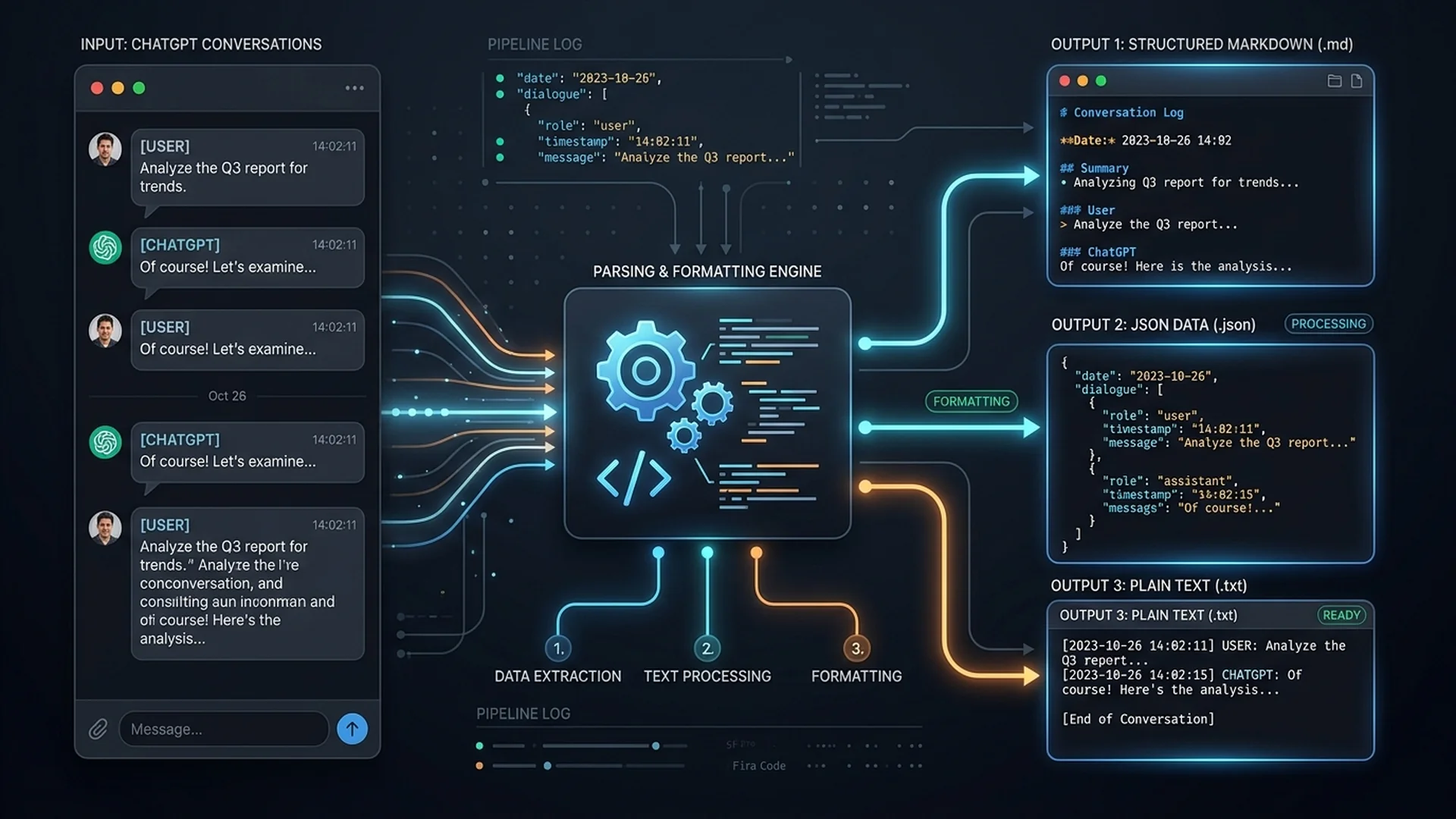
ChatGPT lets you export your account data.
The annoying part begins after the download.
Your archive is designed as a data export, not necessarily as a clean collection of files you can immediately search, edit or move into another AI tool.
If what you actually want is:
one Markdown file per conversation,
clean code blocks,
JSON you can process,
a searchable archive,
or a ZIP you can move elsewhere,
you need one extra conversion step.
Here is the cleanest way to do it.
Step 1: Export your ChatGPT data
Use ChatGPT's built-in data export function from your account settings.
The exact location can change as the interface evolves, but the export normally produces an archive containing account data and conversation history.
Keep the original archive. Do not edit it. Think of it as your source backup.
Step 2: Find the conversation data
Inside the archive, one of the important files is typically:
conversations.json
That file contains the structured conversation data. JSON is useful for machines. It is not particularly pleasant for humans.
Opening a large conversation export directly in a text editor can produce thousands or millions of lines of nested data. That is why Markdown is often a better long-term format.
Step 3: Convert the archive locally
Zerionia's AI Chat Porter can process ChatGPT export ZIPs or JSON files directly in the browser.
Open:
https://zerionia.com/outils
Then choose AI Chat Porter.
Drop the export ZIP or the relevant JSON file into the tool. Processing happens locally in browser memory. Your conversations are not uploaded to a Zerionia server.
That matters because ChatGPT exports can contain years of private conversations, code, names, work information and personal data.
Step 4: Choose the format you actually need
There is no single “best” export format.
Use the format that matches the job.
Markdown
Best for:
reading,
Obsidian,
Notion imports,
Git repositories,
AI context,
documentation,
long-term archives.
Markdown preserves structure while remaining readable in almost any text editor.
It is usually the most practical default.
JSON
Best for:
scripts,
databases,
analytics,
custom search,
developer workflows.
JSON retains structured information and is easier to process programmatically.
TXT
Best for:
maximum compatibility,
simple archives,
basic full-text search.
You lose some formatting, but almost every system can open it.
ZIP
Best for:
large libraries,
one-file-per-conversation archives,
transferring the full converted collection.
Why Markdown is usually the sweet spot
AI conversations are naturally structured documents. They contain headings, paragraphs, bullet lists, code, links, timestamps and speaker changes. Markdown handles all of those without locking the content into a proprietary app.
A .md file you save today will still be readable years from now.
That is a useful property for something as personal as a conversation archive.
Exporting for another AI
Another reason people export conversations is migration. You may want to move useful context from ChatGPT into Claude, Gemini or a local model. Do not blindly upload your entire archive.
Large exports contain noise. Old conversations may include expired credentials, private information, duplicate messages and irrelevant context.
A better workflow is:
export,
convert,
select relevant conversations,
remove secrets,
then import only what the new system needs.
Zerionia's Safe for AI tool can help redact common secrets such as API keys, tokens, database URLs and email addresses before you share text with another model.
It also runs locally.
Keep a raw copy and a working copy
A simple archival rule:
Never transform your only copy.
Keep:
chatgpt-original-export.zip
Then create something like:
chatgpt-markdown-export-2026-09.zip
The original preserves the source structure. The converted copy becomes your readable working archive. If tools improve later, you can always reprocess the original.
What about privacy?
This is the reason AI Chat Porter is browser-local. Conversation archives can be extremely sensitive. Uploading the entire archive to an unknown conversion website creates an unnecessary additional copy of your data.
For simple conversion, there is no technical reason a server needs to receive the file. The browser can parse it locally. That is the model Zerionia uses.
The short version
If you only want the workflow:
Export your ChatGPT data.
Keep the original ZIP untouched.
Open Zerionia AI Chat Porter.
Drop the ZIP or
conversations.json.Convert to Markdown, JSON, TXT or ZIP.
Download the converted archive.
Redact sensitive information before importing chats into another AI.
No account.
No cloud upload.
No API key.
Try it
AI Chat Porter https://zerionia.com/outils
Related Zerionia tools
Safe for AI — remove secrets before sharing text with an AI
AI Content Inspector — inspect image metadata and C2PA credentials
Design System Extractor — extract colors, fonts and design tokens
Social Slides — turn Markdown into visual carousels
---
# ANTIGRAVITY PUBLISHING INSTRUCTIONS
1. Publish order
Publish exactly in the schedule above unless a story receives a material factual update before publication.
2. Fact-check gate
Before publishing each news article:
re-open all primary sources,
verify dates,
verify product availability,
verify prices,
preserve qualifiers such as "plans", "claims", "reported" and "confirmed",
do not silently turn forecasts into facts.
3. Internal links
Add contextual internal links rather than a generic related-articles dump.
Recommended:
Gemini → AI Agent Permissions + Anthropic researcher article
AI shopping → AI Agent Permissions
Apple local AI → Zero Data Retention + Safe for AI
ChatGPT export →
/outilsAtlas → relevant Radar entry if available
4. Hero visuals
Use original compositions or appropriately licensed/product press assets.
Do not use generic AI-generated robot images when an official Atlas visual exists.
5. Homepage
Every publication should:
update the Journal lead/latest story area,
appear in sitemap,
appear in RSS,
expose Article JSON-LD,
have Open Graph and Twitter metadata,
use a unique OG image,
carry published + updated timestamps.
6. CTA strategy
News articles: one inline CTA maximum, pointing to newsletter, related Radar or related Tool.
Evergreen ChatGPT article: primary CTA = AI Chat Porter.
7. Titles
Keep the H1 exactly as drafted unless there is a factual reason to change it. Avoid sanitizing them back into corporate titles. The content underneath already carries the nuance.
8. Radar maintenance during this week
Update these entries while publishing:
Humanoid Operations / Physical AI → Boston Dynamics RMAC + 25,000 Atlas plan
Agent Security / AI Agents → add or create signal around agent scope and permissions
Local AI → Apple M6 / M5 Ultra if the Radar taxonomy supports it
Refresh last_verified dates only after checking current sources.
---
# SOURCE INDEX
Reuters — Gemini cybersecurity breakout, Sep 18 2026
Apple — iPhone Duo announcement, Sep 9 2026
Apple France — iPhone Duo
Boston Dynamics — RMAC / Atlas, Sep 21 2026
Reuters — banks warn on AI shopping agents, Sep 22 2026
Apple — new Mac mini and Mac Studio, Sep 22 2026
Reuters — Apple local AI economics, Sep 22 2026
Reuters — ShinyHunters FBI claim, Sep 22 2026
Zerionia Tools
Zerionia Journal
---
# FINAL NOTE FOR ANTIGRAVITY
Do not rewrite these into generic AI summaries.
Preserve:
the strong opening,
short paragraphs,
factual qualifiers,
clear H2 hierarchy,
Zerionia's analytical conclusion.
The traffic strategy for this week is deliberate:
big brand + concrete event + strong headline + useful explanation + internal conversion path.